
BUILT FOR THE FIELD
The next stop.
The right details.
One simple app.
A focused mobile experience for assigned jobs, access instructions, service photos and job completion.
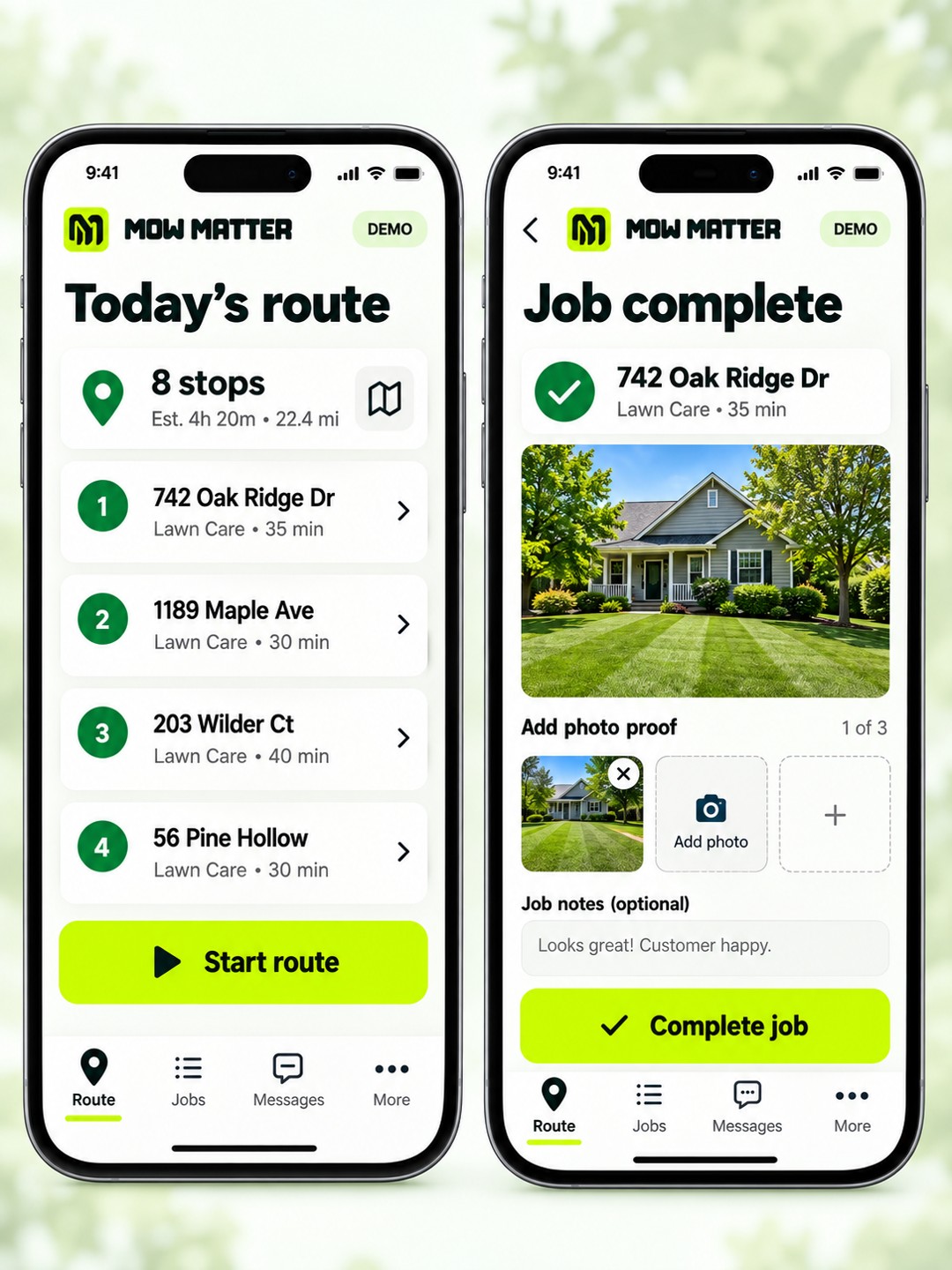
Open it. Know the plan.
Today’s route
See assigned stops and job instructions without digging through text threads.
Proof of progress
Capture a completion photo and send the job status back to the business workspace.
Clear crew permissions
Keep owner finances separate from field assignments.
The preview shows planned workflows. Live dispatch and customer notifications are not connected yet.
Open Crew LoginFROM THE OFFICE TO THE LAST LAWN
One workday. Everyone on the same page.
The owner sets up the work in Office. The crew carries the details into the field. Each confirmed update helps the business see what is happening without chasing a text thread.
Set the day in Office
Add the customer, schedule the visit, list the services and assign a verified crew member. Include gate instructions and any details the crew needs before arriving.
Open today’s jobs
Sign into Crew with the email your owner assigned. See your stops, completed work and the next job. Open a stop to review its address, services and notes.
Navigate and check in
Open directions for the next stop. At the property, confirm check-in or Start job. If location is unavailable, use a manual check-in reason.
Work through the details
Follow the service list and access notes. If a gate is locked or something needs attention, report the issue so Office can see the blocker.
Save proof. Confirm completion.
Add a completion photo, check off the services and confirm Job Complete. Jobs that require proof must have a saved photo before they can be completed.
Sync and move to the next stop
Confirmed updates return to Office. If connectivity drops, supported job updates and photos remain on the device pending sync. Keep the app open to finish syncing when you reconnect.
THE BUSINESS OWNER
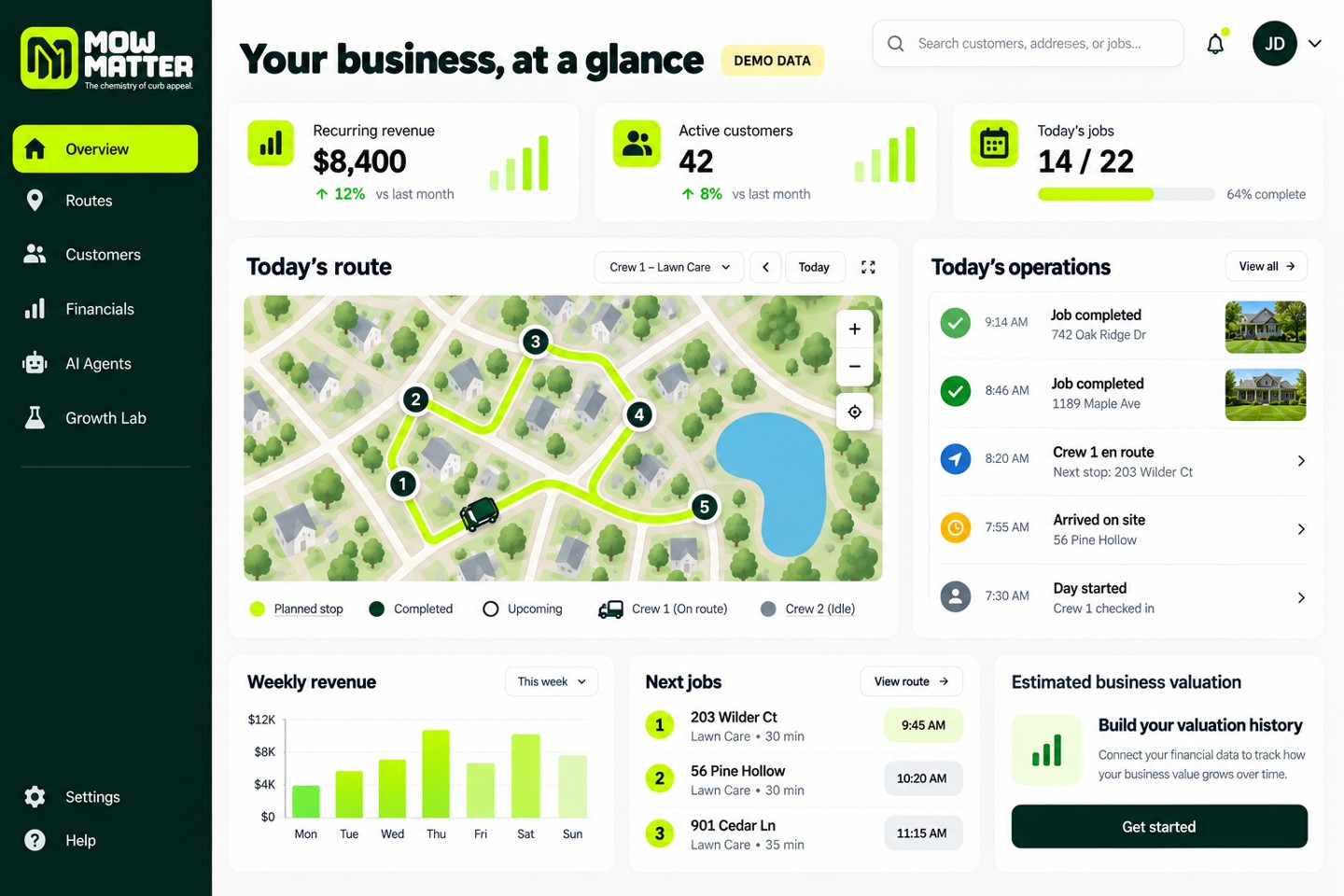
Give your crew a clear starting point.
Customer records, recurring visits and crew assignments live in the business workspace. Field updates come back to the same place, giving the owner a view of scheduled work and progress.
- Maintain customer and property details.
- Schedule visits and assign crew members.
- Review job status, issues and proof photos.
- Keep billing and business finances in Office.
THE CREW IN THE FIELD
The details you need. Right where you work.
Today, Route, Jobs, Messages and More keep the field experience focused. Crew members work with their assigned jobs while the owner manages the broader business.
- Check the next address and service notes.
- Confirm when work starts and finishes.
- Capture proof and flag problems.
- Check pending updates before signing out.
THE HOMEOWNER
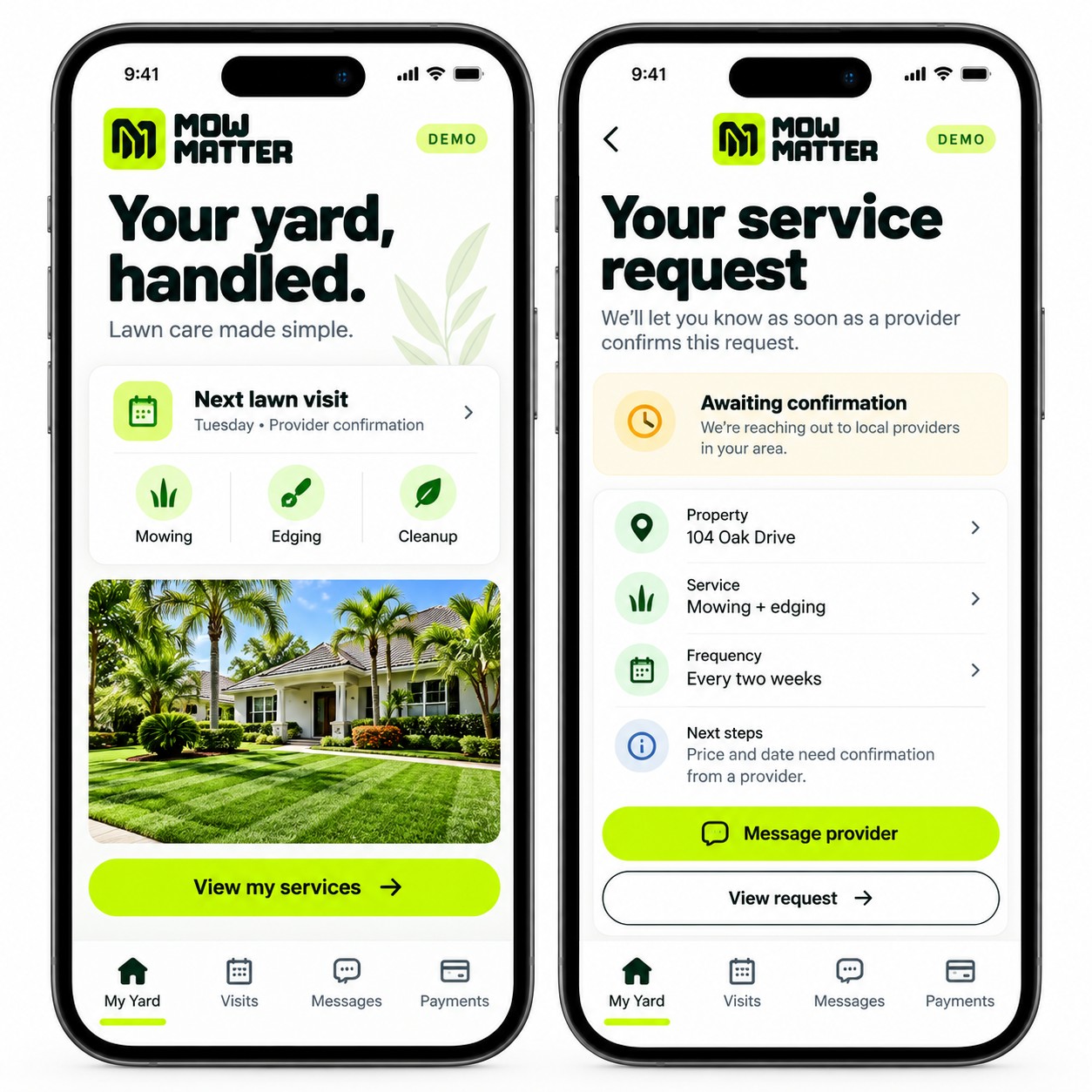
A service experience with a record behind it.
The homeowner experience starts with requesting lawn care. In the business workspace, that customer’s scheduled visits, service details and completion records give the owner context for follow-up.
- Request lawn care through the homeowner web experience.
- Keep property instructions connected to the job.
- Give the business a completion record to reference.
Automatic homeowner message delivery depends on a connected messaging provider. Queued updates do not mean a text or email has been sent.
Explore the homeowner experienceWEB TODAY. NATIVE APPS NEXT.
iOS and Android apps coming soon.
Use the Crew web app from your phone today. On iPhone, open it in Safari and choose Share → Add to Home Screen. On Android, use your browser’s Install app or Add to Home screen option.
Dedicated native apps are coming soon. Join early access for launch updates.
Create an account for launch updatesLocation prompts work while the web app is open. Job starts and completions always require crew confirmation. Screen previews above use sample data.
LESS PHONE TAG. MORE CONFIDENCE.
Your crew does the work. Your customers know what’s happening.
Office publishes the stop order. Crew confirms progress. Homeowners get a clear path from the approaching notice to completion photos and optional care.
- Use the actual published stop order for approach notices.
- Keep start and completion tied to crew confirmation.
- Give customers a secure service link, not your crew’s private location.
- Review schedule changes and extra work through the same account.
Customer communication preview · Approach and schedule-change SMS are being activated. Delivery requires provider setup and customer opt-in. Stop order can change; an approach notice is not a guaranteed arrival time. Optional work needs approval, with scheduling and payment confirmed separately.
- 1Visit scheduled
- 2Crew approaching
- 3Work underway
- 4Finished · Photos ready
- 5Review optional care
Build your next chapter.
Create AccountSAME STOPS. A CLEARER PLAN.
See the route come together.
Before · scattered order
Crossing back through the same area
After · grouped order
Nearby stops grouped in sequence
Illustrative comparison, not a live route or measured savings. Live drive-time optimization is in development; owners review and publish dispatch changes.